A friend dies on the way back with the food, another is still trying to find the house, and the host suggests starting again. That is an easy way for a first evening in Project Zomboid to become a succession of character-creation screens. A little preparation gives the group something worth returning to, even when a survivor does not make it home.
For a small group learning together, we recommend one regular host, the stable version, no mods and a forgiving custom world. Start from Outbreak if you want to develop non-combat skills more quickly, or Rising if building interests you more than fighting. Make meeting up and stocking one shelter your first objective, and agree to keep the world after a death. This guide focuses on two to four friends playing online through Steam on separate computers; that is a suggested group size, not the game's player limit.
Choose who keeps the world
For evenings when everyone plays together, hosting from the game is a practical starting point. The host's computer runs the server and holds its world save, so that person needs to launch it whenever the group wants to play. Choose someone whose availability matches yours. A dedicated server can stay available without that player running the game, but it adds administration; consider one when independent access actually matters.
For this online setup, each player needs a Steam account and access to a separate copy of the game. Install the same version from the default Stable branch on every computer. Build 42 supports online multiplayer, so you can leave the Pre-Release testing branch alone for this first run.
- Create a named server setup. The host opens Host, then Manage settings, and creates a configuration with a name everyone will recognise. Apply your chosen sandbox preset and adjustments before starting the world.
- Keep it to your group. Use the hosted game's friend permissions and invitations, and set
PVP=falseto disable combat between players. Leave mods disabled in both the server setup and each player's main-menu mod list for this first run. - Start, then invite. Once the host has entered the world, press Escape and use Invite Friends. Friends accept the Steam invitation; they should leave any other active game first.
- Check that you can return. After everyone has joined, close the session normally and reopen the same named setup once. Confirm that your characters and the world are still there before investing the evening in it.
If someone cannot join, first compare the full version numbers and enabled mods with the host. Changing the sandbox difficulty will not fix a version mismatch. Keep the working setup unchanged while you learn; a long mod list can wait until you know what you want to change.
Choose forgiving world settings
Outbreak is our starting recommendation for friends with limited time: its non-combat skill progression and supply availability are tuned for a less time-consuming run. Rising is the alternative when the group mainly wants to build a home, with less emphasis on combat. Both have sandbox presets you can adjust. Neither removes the need to learn movement, inventory handling and when to retreat.
Apply the preset first, then check these choices. They are our suggested adjustments, not a description of its defaults:
- Lower the zombie population. Set Zombie Count to Low for your learning world. There is more room to practise moving between houses without making every supply trip a large fight.
- Give the day more room. A Day Length of 2 hours makes an in-game day last two real hours at normal speed. It gives a new player more time to learn the inventory controls before nightfall.
- Choose what infection means. For a first run, we recommend Transmission: Saliva Only: bites can still transmit the zombie infection, but scratches and lacerations do not. Choose None if you want to learn without that infection penalty. This does not prevent injury, bleeding or death from an attack.
- Remove the need to coordinate sleep. Set
SleepNeeded=falsewhile you learn. This changes the sleep requirement; it does not make repeated fighting or running effortless. - Pause an empty server. Set
PauseEmpty=true. The clock stops when nobody is connected, but keeps advancing if even one friend stays online. It does not reserve the world for the whole group.
If you prefer the usual infection risk, keep the blood-and-saliva transmission setting and accept that a scratch or laceration from a zombie can also transmit the infection. The useful choice is one everyone understands before the first injury. You can enjoy the tension of scavenging without making every learning mistake carry the same consequences.
Meet up before anyone starts a big project
Have each newcomer do the tutorial first, then choose the same starting town when joining the server. The same town does not guarantee the same house. Compare your positions on the in-game map and identify a nearby junction or recognisable building; a screenshot shared with the group can help. Do not make an unfamiliar trip across the map your first shared objective.
While you are separated, collect only what helps you reach one another: something to drink, food you can eat, bandages and a usable weapon. Once together, choose a modest house with nearby supplies and a route out that you can all recognise. Check the rooms and approaches before treating it as home. A large building creates more space to search and more entrances to watch.
Put communal food, medical supplies and spare equipment in agreed containers. Everyone should carry some essentials; the only drinking water should not leave with the player exploring the next street. A shared stockpile also gives the next survivor something to come back to.
Make one small trip that ends at home
Pick a nearby house and a specific need, such as food or medical supplies. With two players, one can check containers while the other watches the approach; swap so both learn the inventory. With three or four, keep the extra players close enough to help rather than sending everyone down a different street. Decide where you will withdraw before opening another door.
Stop when you have what you came for, or when someone's condition makes the return harder. Repeated combat builds muscle strain, and exertion is another reason to take a break. Having several friends nearby does not make one exhausted character safe. Watch the condition icons and leave room in the plan for recovering, instead of turning every outing into a neighbourhood clearance.
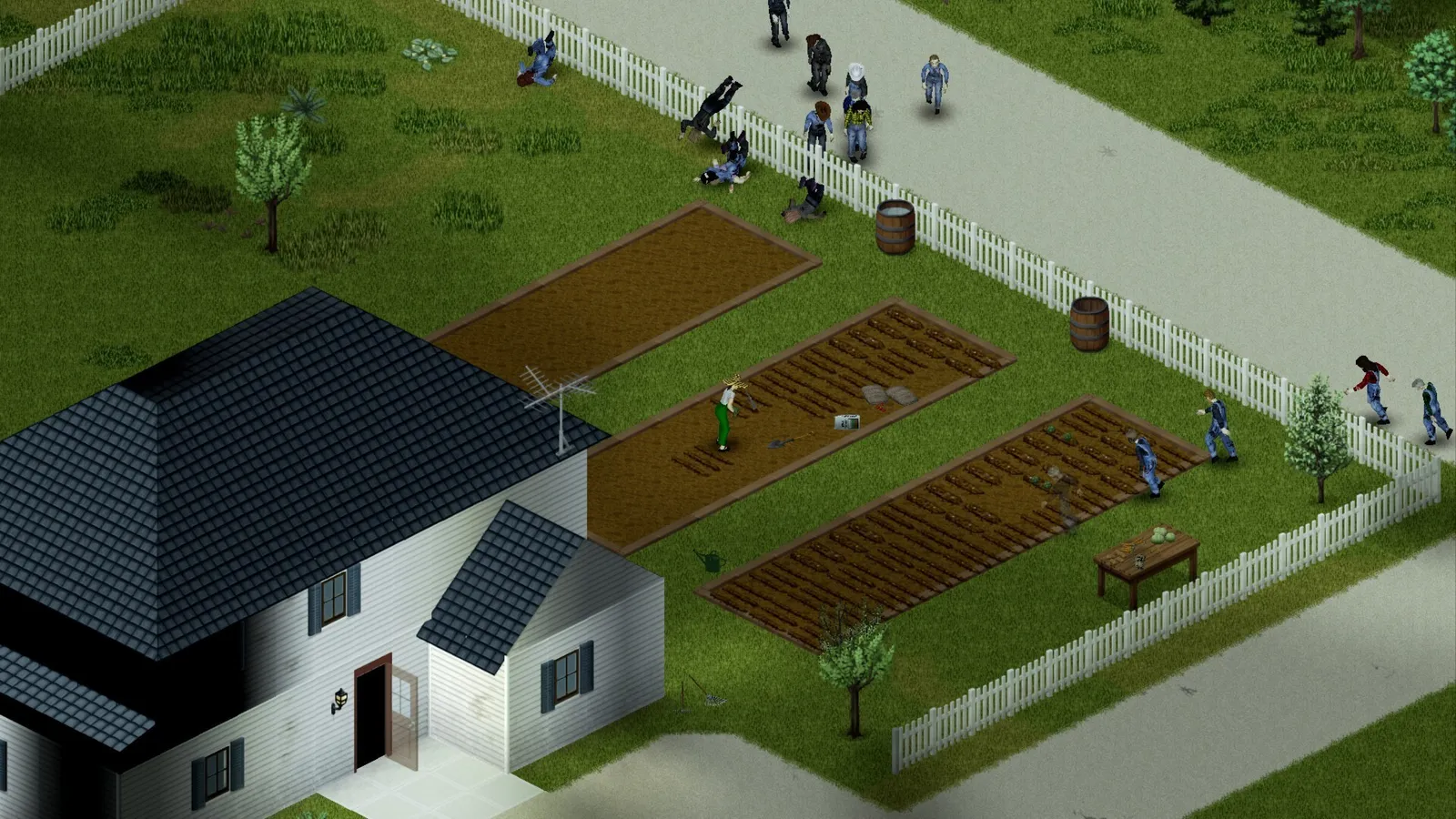
If you attract a crowd, abandon the shopping list and get clear before returning to the shelter. One successful trip teaches the group a route, where supplies belong and when to leave. Those are useful gains even if all you brought back was dinner.
Keep the world when someone dies
A dead character and a lost world are different things. In an ordinary game without skill-preserving mods, a replacement survivor does not inherit the dead character's learned skills. The server world can continue, including your shelter and stored supplies. Equipment carried at death may be recoverable from the body, or from the reanimated survivor if the infection rules cause them to turn.
Agree before playing that the first death means helping a new character rejoin the group. Do not enable a one-life rule that prevents them returning. Keep a spare weapon, food and bandages at the shelter, and use the same meeting plan as at the start. Recovering the old backpack can be a later objective; rushing everyone into the crowd that killed its owner risks losing more people for the same bag.
This also changes how you share jobs. Let someone take an interest in cooking, construction or vehicles, but avoid making one survivor carry every useful tool or all the emergency supplies. Specialisation should give people something to contribute, while the group's stored equipment helps it recover from a loss.
Finish with a reason to return
Before logging off, bring the group back, put away supplies and agree on one next task. Perhaps you have found a car worth checking, or a nearby building that might hold the tools you need. A specific unfinished job makes the next invitation easier than a vague promise to survive longer.
Let the host close the session normally, then use the same saved server setup next time. Back up the host's Zomboid user-data folder with the game and server closed before changing versions or adding mods, so the world and its configuration are preserved together. Deleting the world or using a reset is not the way to resume it.
Also decide whether anyone may play ahead between group sessions. Pausing an empty server will not help if one person spends several in-game days exploring alone. For a first shared run, we recommend opening that world when the group is ready to continue together.
The first evening has done its job when you know where home is, have something stored there and can name what you want to try next. A replacement character can join that story. Give yourselves a world you want to return to, and you do not need every original survivor to live for the run to matter.
Where to go next
If your group wants to try another shared world after this run, explore our selection of co-op survival games.